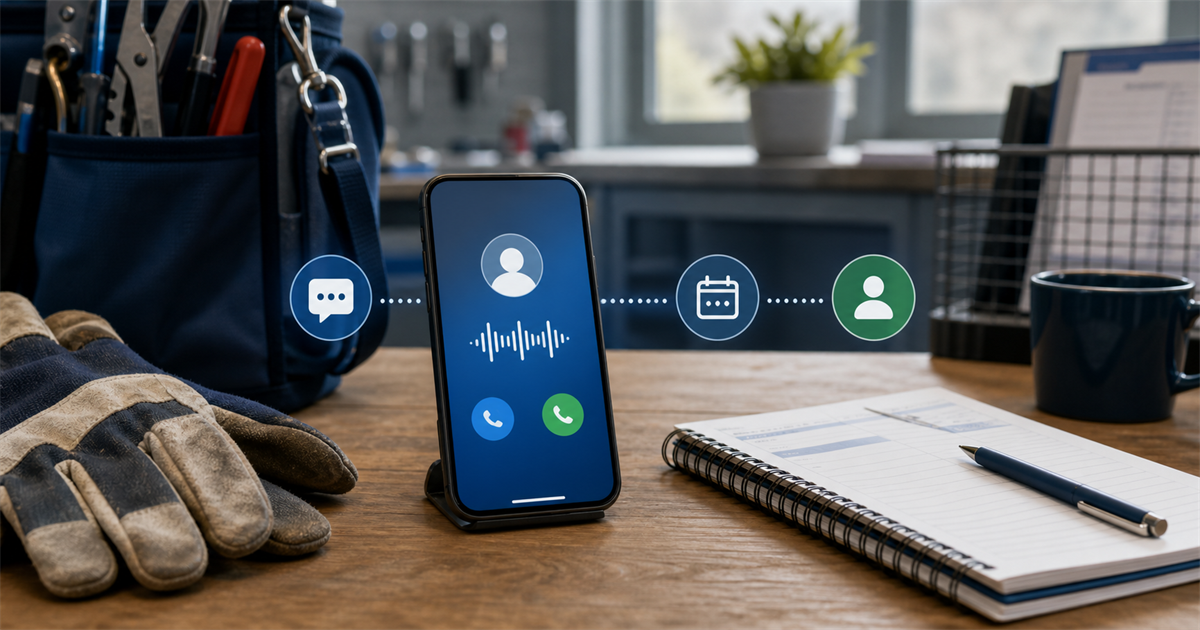
An AI receptionist can handle routine intake and call overflow. Pricing, safety, urgent, sensitive, unusual, and complex decisions should stay with a human.
That split matters. The AI is there to catch basic details when your office cannot answer. It is not there to replace the owner, dispatcher, technician, or office team.
What an AI receptionist should handle
A useful first setup can:
- Disclose that it is AI
- Ask one question at a time
- Capture the caller's name, phone number, location, service need, and timing
- Offer an owner-approved next step
- Alert the owner or assigned team member
- Capture a preferred time only within the shop's rules
For example, the assistant might introduce itself as Sam and say it can take a message for the team. It should be clear, calm, and brief.
The AI should not guess at pricing, diagnose a risky issue, promise a technician, or decide whether custom work can be done. Those calls need human judgment.
Two useful starting workflows are AI receptionist on overflow and missed-call text-back. The first answers only after the normal call path is not picked up. The second sends a short text after a missed call, with the caller's permission to continue by text.
Two example call scenes
Scene 1: A plumbing owner is on the tools
Picture a plumbing owner working under a sink when the phone rings. Stopping may be unsafe or impractical. Letting the call go to a plain voicemail may leave the caller unsure about what happens next.
With AI receptionist on overflow, Sam answers after the normal ring period. Sam says it is an AI assistant and asks one question at a time.
The caller gives a name, phone number, town, and a short description of the leak. Sam asks whether there is an immediate safety concern. It does not tell the caller how to repair the leak or decide how urgent the job is.
Sam records the details, explains the approved next step, and alerts the owner. Under the current first-version call policy, Sam does not promise a live transfer. It takes a message and tells the caller Ahmad will call back.
If the caller asks, “What will this cost?” Sam does not make up a number. The pricing question is marked for Ahmad to answer.
This is a fictional example of how the call could work. It is not a customer result.
Scene 2: An after-hours HVAC call
Now picture an HVAC call after hours. The caller says the furnace is making a strange sound and asks if it is safe to keep running.
That is not a routine booking request. It includes a possible safety issue and needs human judgment.
The AI can capture the caller's details, note the concern in the caller's own words, and explain the approved callback process. It should not diagnose the equipment, give safety instructions beyond the shop's approved wording, or claim that a technician is on the way.
If there appears to be immediate danger, the caller should be directed to the appropriate emergency service based on the shop's approved message. The AI does not handle the emergency itself.
This is also a fictional scene, not a report about a customer.
Six steps to set up the workflow
1. Pick one narrow starting point
Start with one call type. Overflow during work hours is often easier to observe than trying to cover every call from day one.
Write down when the AI answers, when it stays out of the way, and who receives its alerts. Keep the first workflow small and observable.
2. Set the human handoff rules
Create a clear list of calls that always go to a person. Include urgent, unsafe, sensitive, unusual, complex, pricing, and custom-scope questions.
Also decide who gets the message. That may be the owner, office lead, or dispatcher. The AI can route information, but it should not make the final service decision.
3. Define what information to collect
Ask only for details your team will use. A basic intake may include:
- Caller name
- Best callback number
- Service address or town
- Type of service needed
- Short description of the issue
- Preferred timing
- Permission for text follow-up
Email follow-up needs explicit consent. Do not treat a supplied email address as automatic permission to send follow-up messages.
4. Limit booking to your rules
Booking or preferred-time capture must stay inside owner-approved rules. If the shop has not approved a service area, job type, or time slot, the AI should not promise it.
A safer response is to capture the preferred time and say the team will confirm it. Connections to calendars, phone systems, or other tools can be scoped per shop. Do not assume a specific connection is already live.
5. Write the caller's next step
Every call should end with a plain next step. The caller should know whether the message was sent, who will respond, and what has not been confirmed.
For the current first version, the wording should not promise a live transfer. It should say that Ahmad will call back.
6. Run a two-week shakedown
Test the workflow with common calls before sending real overflow to it. Then watch it closely for two weeks.
Check whether questions are clear, messages reach the right person, and human-only topics are flagged. Fix unclear wording before adding more call types or hours.
Common pitfalls
The first pitfall is asking too much. A long interview can frustrate someone who only wants to explain a leaking tap or failed furnace.
Another pitfall is letting the AI sound too certain. It should not promise arrival times, prices, parts, coverage, or job acceptance unless the owner's rules clearly allow that exact response.
Do not hide that the caller is speaking with AI. Disclosure should happen near the start.
Avoid open-ended technical advice. The AI can record what the caller reports, but a qualified human should assess the issue.
Finally, do not add text or email follow-up without the right permission. Text follow-up requires permission. Email follow-up requires explicit consent.
Measure the first two weeks
Use a short weekly check rather than a complicated dashboard. Review:
- How many overflow or missed calls received a response
- Whether contact details were complete
- Whether alerts reached the right person
- Whether callers were given the correct next step
- Whether human-only questions were flagged
- Where callers repeated themselves or became confused
Listen for message quality, not just call volume. A smaller number of clean, useful messages is better than a larger pile of unclear notes.
A plain privacy caveat
Call handling and follow-up should use clear consent, limited data collection, sensible access controls, and retention rules suited to the shop. Privacy wording should be PIPEDA-aligned, but that does not amount to legal certification or legal advice. Each shop remains responsible for checking its duties and getting qualified advice where needed.
Start with the missed calls you have now
My Trades Desk is based in Ontario and serves Canadian trades and home-service shops. You can learn more about available services or contact the team to discuss a scoped setup.
Before changing your phone process, get a quick baseline. The free check-up asks eight questions, takes about 30 seconds, and sends the report to your inbox.
Run the free Missed Call check-up